How I organize git repos locally
In this post I wanted to share how I manage / organize git repositories locally.
Why not everything in one directory?#
Surely, you can put everything into one directory, say ~/code and call it a day, right? yes of course! But the issue arises when you have a lot of repositories across different git domains and organizations – this is especially true for your work computer where you will have tons of git repositories cloned.
For example, this is how many git repositories I have on my work laptop
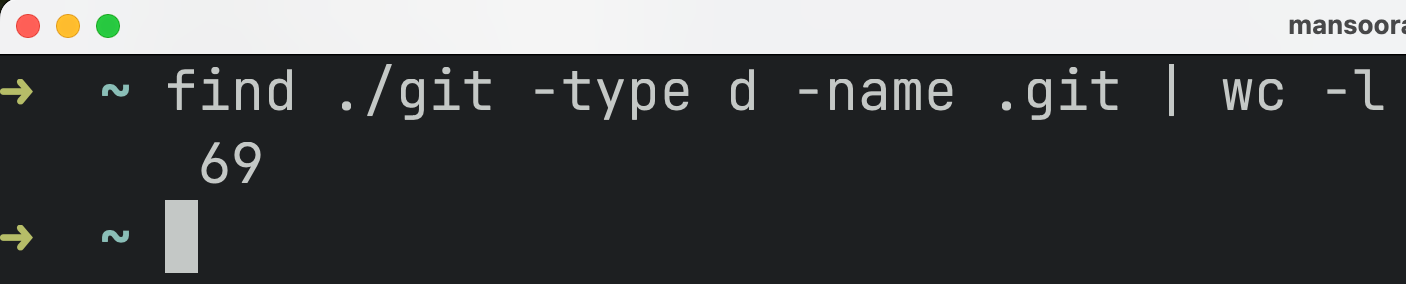
Nice! I swear I did not do that on purpose
How I organize it#
First of all, I do use a single parent directory for all my git repositories. Then I use the full path of the repository in the filesystem. That is, if my git repository is https://github.com/MansoorMajeed/some-cool-project then, on my laptop it will be located at ~/git/github.com/MansoorMajeed/some-cool-project
Similarly, if a company project is at ghe.company.com/myteam/some-legacy-code then it will be available at ~/git/ghe.company.com/myteam/some-legacy-code
But Why?#
Avoid potential collisions#
Especially when working across different orgs, there could be repos with the same name. This completely avoids that issue
Easily navigate among 100s of repos#
Here is where this organization shines the best! Now I can use this alias to navigate any git repositories easily, from anywhere on my terminal. Here is the alias
gt () {
	if [[ $(uname -s) = "Linux" ]]; then
		gitpath='/home/mansoor/git/'
	else
		gitpath='/Users/mansoor/git/'
	fi
	repopath=$(find ${gitpath} -mindepth 3 -maxdepth 3 -type d | awk -F $gitpath '{print $2}' | fzf)
	if [ -n "$repopath" ]; then
		cd ${gitpath}${repopath} || echo "Failed to navigate to ${gitpath}${repopath}"
	else
		echo "No repository selected."
	fi
}
Now, I can simply type gt from anywhere in a terminal and start fuzzy typing the repo name I want to go to! Press Enter and I will be placed inside that

So, yeah! That is all. If you have any unique and efficient ways of managing it, please drop a comment! I am all ears